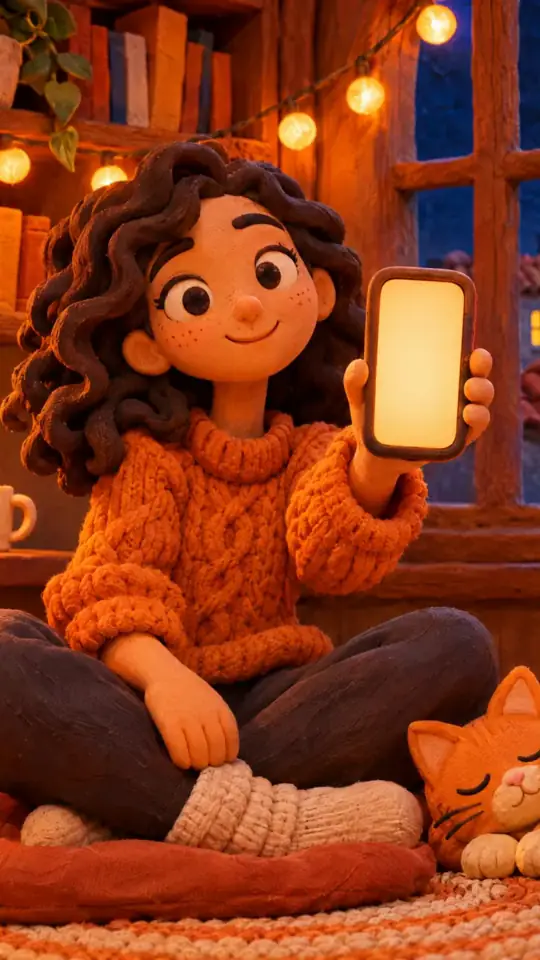
Versus comparison video — Arcade fighter style
Make a versus comparison like an arcade fighting game: two pixel robot boxers, health bars, FIGHT! and K.O.!, stat sheets and a high score table.
Dostępne w pakiecie Starter, ze wszystkimi 81 stylami oraz Twoimi własnymi · podgląd wygenerowany przez silnik ClipOnIt
Jak wygląda ten styl
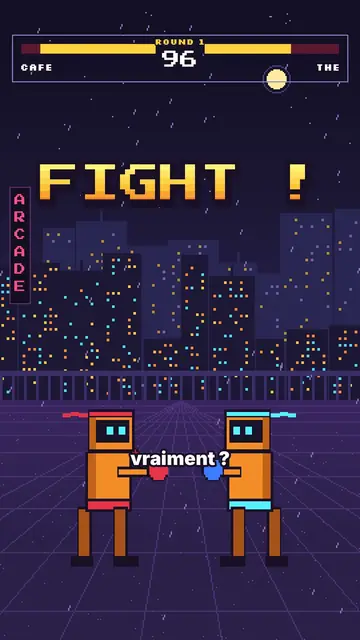
Arcade fighter turns your topic into a retro brawl. In a purple night street, in front of a pixel city under the rain, two orange robot boxers face each other. At the top, the arcade HUD shows their names, their health bars, the round number and the timer. “FIGHT!” bursts out in big yellow-orange pixel type, and when an argument wins, the opponent drops with a white flash and a “K.O.!”.
Between rounds, the game brings out all its screens: a rolling pixel counter, a “CONTINUE?” with its countdown, a grid select screen where the cursor picks a fighter, stat sheets popping on a striped background, a high score table. Scenes open with an iris, text pops, and a crowd of robots can flood the foreground when you need to show “a hundred versions”.
Tematy, do których pasuje
Avoid: serious, sad or sensitive topics: the brawl tone and the K.O.s would make them feel wrong. Also avoid topics with no opposition or ranking; the style needs two sides or a score.
- “X vs Y” comparisonsTwo names in the HUD, one round per criterion and a K.O. for the winner: the format is built in.
- RankingsThe select screen and the high score table rank the options like in a game.
- Tech and AITwo models, two phones, two apps: stat sheets compare the key numbers.
- Gaming videosViewers recognise the arcade codes and stay to see who goes down.
Pomysły na wideo w tym stylu
- Coffee vs tea
Both names in the HUD, a caffeine round, a sleep round and the final stat sheet.
- iPhone vs Android
Three rounds, a K.O. per criterion and the score table at the end.
- The best free editing tool
The grid select screen, the cursor picking and the winner's sheet.
- Why we give up on our resolutions
You vs laziness, the CONTINUE countdown and the number of days held.
Gotowe w 1 kliknięcie
- Otwórz link do tego stylu
Przycisk „Utwórz wideo w tym stylu” otwiera edytor z już wybranym stylem. Bez konta rejestracja zajmuje minutę i nie wymaga karty.
- Napisz temat w jednym zdaniu
Wystarczy jeden pomysł. Możesz też wkleić tekst albo, w Starter, nagrać głos do mikrofonu: wideo powstanie wtedy na bazie twojego głosu.
- Sprawdź, potem wyrenderuj
AI pisze sceny, dobiera elementy stylu i dopasowuje je czasowo do słów, z lektorem i napisami. Poprawiasz, co nie gra, a pionowy plik MP4 przychodzi w kilka minut.
Co możesz dostosować
For each scene you pick the shot (duel, solo, number, continue, select, sheet, scores or end), the big pixel announcement and its line below, the HUD names and round, which fighter falls and on which word, the crowd, the white flash and the word to comment.
Najczęściej zadawane pytania
Darmowy czy nie, wynik, zużycie: krótkie odpowiedzi.
Do accents work in the pixel font?
Big pixel announcements are written without accents, like on an arcade cabinet. Captions keep the full spelling.
Czy mogę użyć własnego głosu?
Yes. Record yourself or import your audio: hits, K.O.s and screens land on your words.
How is it different from Pixel RPG quest?
Pixel RPG quest tells a tutorial as a quest, with a checklist and inventory. Arcade fighter pits two sides against each other, round after round, until the K.O.
Czy ten styl jest w planie darmowym?
Nie, jest w pakiecie Starter ($29/miesiąc): 15 wideo miesięcznie bez znaku wodnego, dostęp do wszystkich 81 stylów oraz Twoich własnych. Darmowy plan daje 3 wideo miesięcznie ze znakiem wodnym w 8 innych stylach: Pixel News, Press paper, Comedy cartoon, Class sketch, Night tale, Social screen, Retro synthwave i Flat vector.
Jeśli podoba Ci się ten styl
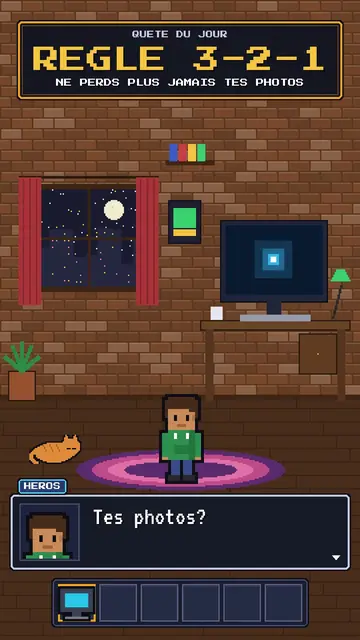
RPG-style tutorial video
Pixel RPG quest style · A tutorial played as a pixel art video game quest: checklist, dialogue box, inventory, spells.
- Darmowy
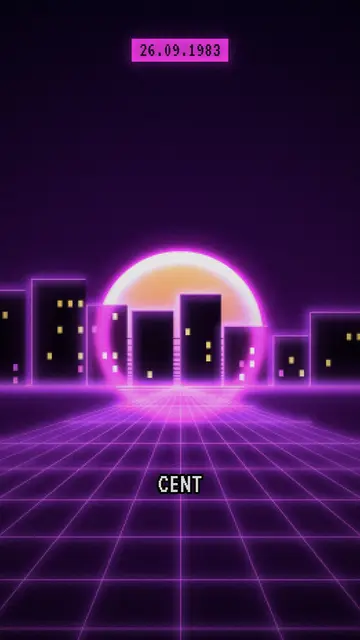
Twórca wideo synthwave
Styl retro synthwave · Purpurowo-magentowy pixel art, pasiate słońce, neonowa siatka.
- Darmowy
Kreator filmów wyjaśniających w pixel arcie
Styl Pixel News · Szaro-czerwony pixel art, HUD z datą, napisy słowo po słowie.
Twój pomysł w tym stylu
Napisz zdanie albo powiedz je głosem: styl jest już wybrany, gdy trafisz do edytora.